
CYBER ESSENTIALS
Configuration Drift and Cyber Essentials

Your security settings were correct yesterday. Are they still correct today?
Achieving Cyber Essentials certification requires organisations to demonstrate that fundamental security controls are implemented correctly. But those controls don't remain secure simply because they passed an assessment.
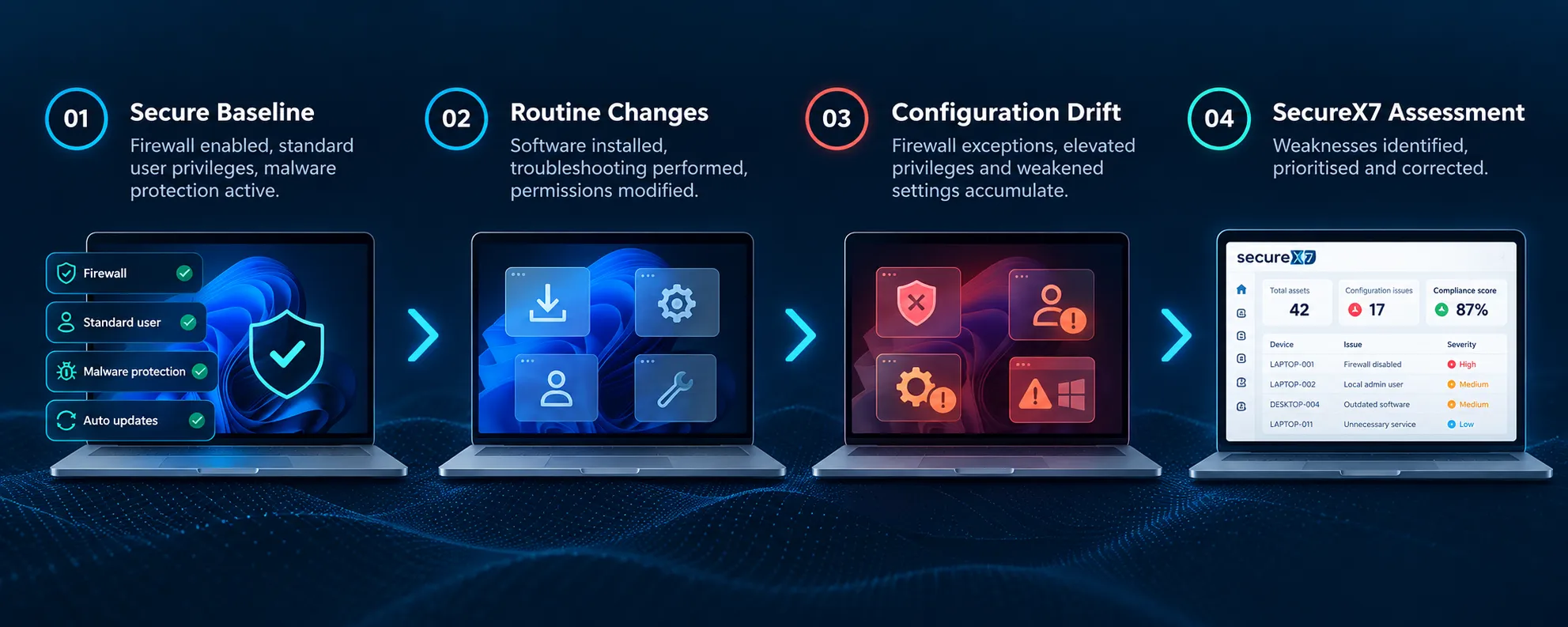
Firewalls are disabled during troubleshooting. Administrator privileges are granted temporarily and never removed. New applications introduce vulnerabilities, and software updates can change security settings.
These everyday activities can gradually move devices away from their approved security configurations — a process known as configuration drift, or security decay.
The problem is that configuration drift often goes unnoticed. An organisation can successfully complete its Cyber Essentials assessment, yet develop significant security weaknesses during the following twelve months.
SecureX7 helps identify configuration weaknesses and deviations from established security baselines, providing AI-powered actionable guidance to help organisations restore and maintain their security posture.
Don't assume your security settings are still correct. Know that they are.
What Is Configuration Drift?
When everyday changes undermine your security baseline
Configuration drift occurs when the actual settings of a device, application or system diverge from an approved or expected configuration.
A Windows 11 laptop might initially be configured with Microsoft Defender Firewall enabled, restricted administrator access and effective malware protection. Over time, routine maintenance, software installations and user activity can change those settings.
Some changes are deliberate. Others happen automatically or as unintended consequences of troubleshooting and application updates.
Not every configuration change represents a security problem. The concern arises when changes weaken an important control, introduce unnecessary exposure or cause a device to fall outside the organisation's approved security baseline.
Common causes include:
- Troubleshooting: Security features are temporarily disabled to resolve technical problems.
- Software installation: New applications introduce services, firewall exceptions or configuration changes.
- Privilege changes: Users receive additional permissions that are not subsequently revoked.
- System updates: Operating system or application changes affect existing security configurations.
- Inconsistent administration: Different devices receive different settings because there is no centrally enforced baseline.
Configuration drift is particularly challenging for organisations managing standalone or workgroup Windows devices, where security settings may be configured individually rather than enforced through central management.
Without regular reassessment, there is no reliable way to know whether the configuration you approved is still the configuration being used.
Common Configuration Drift Problems
Small changes. Growing exposure. Increasing compliance risk.
Configuration drift can affect all five Cyber Essentials technical controls.
1. Firewall Protection Disabled
Microsoft Defender Firewall is switched off during troubleshooting and never re-enabled, leaving the device without its intended host-based protection.
2. Unnecessary Firewall Exceptions
Applications introduce inbound firewall rules that remain after the software is removed or the original business requirement disappears.
3. Excessive Administrator Privileges
An employee receives local administrator access to install software but continues using elevated privileges for everyday activities.
4. Malware Protection Weakened
Antivirus exclusions are added, real-time protection is disabled or security settings are changed to accommodate an application.
5. Unnecessary Services Enabled
Remote Desktop, file sharing or other network services are enabled without an ongoing business requirement, increasing the device's attack surface.
6. Unsupported or Unpatched Software
New applications are installed outside established management processes, while older versions remain installed or stop receiving security updates.
Individually, these weaknesses may be straightforward to correct. The difficulty is discovering them consistently across every in-scope device.
SecureX7 helps assess supported endpoint security configurations, identify weaknesses and provide actionable guidance so that remediation can be prioritised before problems accumulate.
Configuration Drift and Compliance Decay
Why annual certification cannot guarantee year-round security
Cyber Essentials certification provides independent assurance that an organisation has met the scheme's requirements through its assessment process.
However, the IT environment continues to change after certification.
A device that was compliant at assessment may subsequently develop insecure firewall rules, unnecessary administrator privileges or outdated software. As these weaknesses accumulate, the organisation's actual security posture can deteriorate.
This gradual deterioration is often described as compliance decay.
Configuration drift is one important cause of compliance decay, but it is not the only one. Newly discovered vulnerabilities, unsupported software and unmanaged devices can also create security gaps even when existing configuration settings remain unchanged.
The traditional approach is to revisit these issues shortly before the next annual assessment. By then, weaknesses may have remained undetected for months.
A continuous approach is more effective:
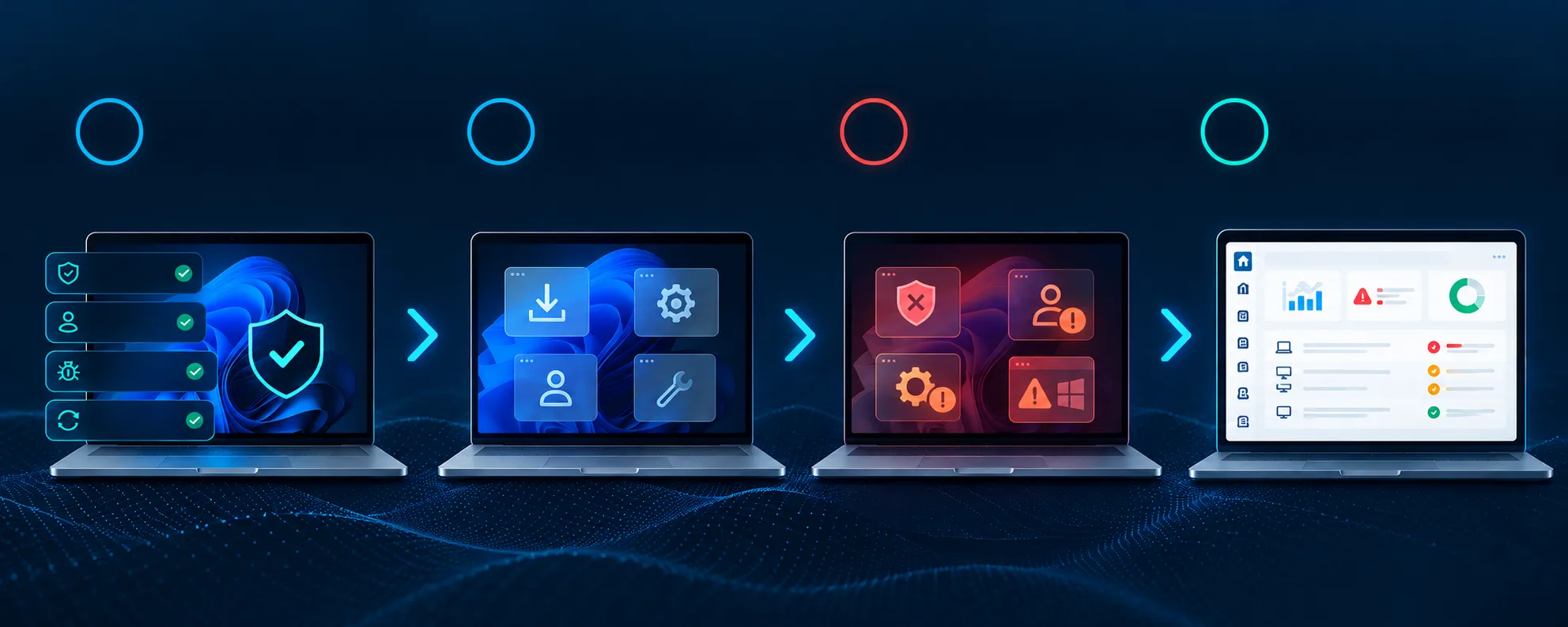
- Establish a baseline — Define the approved security configuration for relevant devices.
- Assess regularly — Compare actual security settings with the expected baseline.
- Identify deviations — Highlight changes that weaken security or affect Cyber Essentials requirements.
- Remediate weaknesses — Restore appropriate settings and address unnecessary exposure.
- Verify and repeat — Confirm that corrective actions are effective and reassess as the environment changes.
The objective is not to prevent every change. It is to prevent security-weakening changes from going unnoticed.
How SecureX7 Helps Control Configuration Drift
Continuous visibility. Clear priorities. Actionable remediation.
Manually checking Windows security settings across an entire organisation is time-consuming, especially when devices are frequently updated, moved or reconfigured.
SecureX7 helps make this process more manageable by bringing together asset visibility, security configuration assessment, vulnerability identification and AI-powered remediation guidance.
Discover your environment
Identify devices and installed software to help establish which assets require assessment.
Assess security configurations
Evaluate supported security settings against established baselines and identify configuration weaknesses affecting Cyber Essentials readiness.
Identify and prioritise changes
Highlight deviations and vulnerabilities that could increase exposure, helping distinguish important security weaknesses from background noise.
Understand what to fix
Use SecureX7's embedded AI to ask practical questions such as:
Remediate and verify
Follow actionable remediation guidance, implement appropriate corrective changes and reassess affected devices to confirm the weaknesses have been addressed.
- “Which devices have insecure firewall configurations?”
- “Where do we have unnecessary administrator privileges?”
- “What security settings need attention before our next Cyber Essentials assessment?”
- “What should we fix first?”
By repeating this process, organisations can reduce the gap between their intended security baseline and the configurations actually operating across their environment.
SecureX7 helps turn configuration drift from an invisible problem into a manageable security improvement process.
Stop Configuration Drift Before It Undermines Your Security
Cyber Essentials should establish your security baseline, not become the only time you check it.
SecureX7 helps you discover your assets, assess your posture, prioritise risk and remediate configuration weaknesses with confidence.