
CYBER ESSENTIALS
Cyber Essentials User Access Control
Give users the access they need — and nothing more
User Access Control is one of the five Cyber Essentials technical controls. Its purpose is to ensure that only authorised people can access your organisation's systems and data, with permissions appropriate to their responsibilities.
The principle is straightforward: users should have access to what they need to do their jobs, but no more. Administrative privileges should be restricted, accounts should be managed throughout their lifecycle and appropriate authentication controls should protect access.
The challenge is maintaining that position. Employees change roles, temporary permissions become permanent, administrator accounts accumulate and access arrangements gradually move away from their original purpose.
SecureX7 helps organisations assess supported endpoint accounts, administrative privileges and relevant security configurations, identifying weaknesses that could undermine Cyber Essentials readiness.
Rather than simply identifying a configuration problem, SecureX7's AI-powered actionable guidance explains the risk and provides practical recommendations for remediation.
The result is a clearer understanding of access-control weaknesses across your environment, helping you address unnecessary privileges and insecure configurations before your Cyber Essentials assessment.
Know who has access. Understand their privileges. Remove unnecessary risk.
What Good Access Control Looks Like
Cyber Essentials expects organisations to manage user accounts and privileges carefully, ensuring access is granted only where there is a genuine business requirement.
Individual Accounts
Users should have their own accounts, allowing access to be controlled and managed appropriately.
Least Privilege
Users should only receive the permissions necessary for their role, reducing the potential impact of compromised accounts.
Separate Admin Accounts
Administrative privileges should be reserved for authorised users and used only when performing tasks requiring elevated access.
Account Lifecycle
Accounts should be created through an appropriate approval process, reviewed when responsibilities change and disabled or removed when no longer required.
Secure Authentication
Passwords and other authentication mechanisms must meet Cyber Essentials requirements and protect against unauthorised access.
Access Reviews
Unnecessary accounts and privileges should be identified and removed rather than allowed to accumulate.
SecureX7 helps assess supported endpoint account configurations and administrative privileges, providing visibility of potential deviations from your required security baseline.
Its AI-powered actionable guidance helps explain weaknesses and identify appropriate corrective action, making access-control assessment more consistent and less dependent on manually inspecting individual devices.
Multi-Factor Authentication
Multi-Factor Authentication (MFA) adds another layer of protection by requiring users to prove their identity using more than one authentication factor.
Instead of relying solely on a password, MFA combines independent factors such as something you know, something you have or something you are.
Cyber Essentials requires MFA to be implemented for in-scope cloud services wherever the service makes it available. This includes relevant cloud accounts used by ordinary users and administrators.
MFA is particularly important because passwords can be stolen through phishing, reused across services or exposed in data breaches. An additional authentication factor makes it harder for an attacker to gain access using compromised credentials alone.
However, enabling MFA for some accounts does not necessarily mean the organisation meets the requirement. Coverage needs to be considered across relevant cloud services, user accounts and privileged access.
SecureX7 helps organisations assess relevant security configurations and identify access-control weaknesses. Where cloud identity integrations provide the necessary information, MFA coverage can also form part of a broader compliance assessment.
MFA protects identities. Effective access control ensures those identities only have the permissions they actually need.
Related Guides
User Access Control works alongside the other Cyber Essentials controls and several related areas deserve more detailed guidance.
Separate Administrator Accounts
Understand why everyday user accounts should not routinely operate with administrative privileges, and how to manage elevated access securely.
Explore Administrator Account Requirements → (coming soon)
Local Administrator Accounts on Windows
Learn how to identify and manage local administrator privileges, including on Windows workgroup computers without Active Directory.
Explore Windows Administrator Accounts → (coming soon)
Cyber Essentials MFA Requirements
Understand which cloud services and accounts require MFA, how authentication factors work and common implementation mistakes.
Secure Configuration
User permissions and device security settings are closely connected. Unnecessary accounts, insecure authentication settings and excessive privileges can undermine an otherwise hardened device.
Account Lifecycle Management
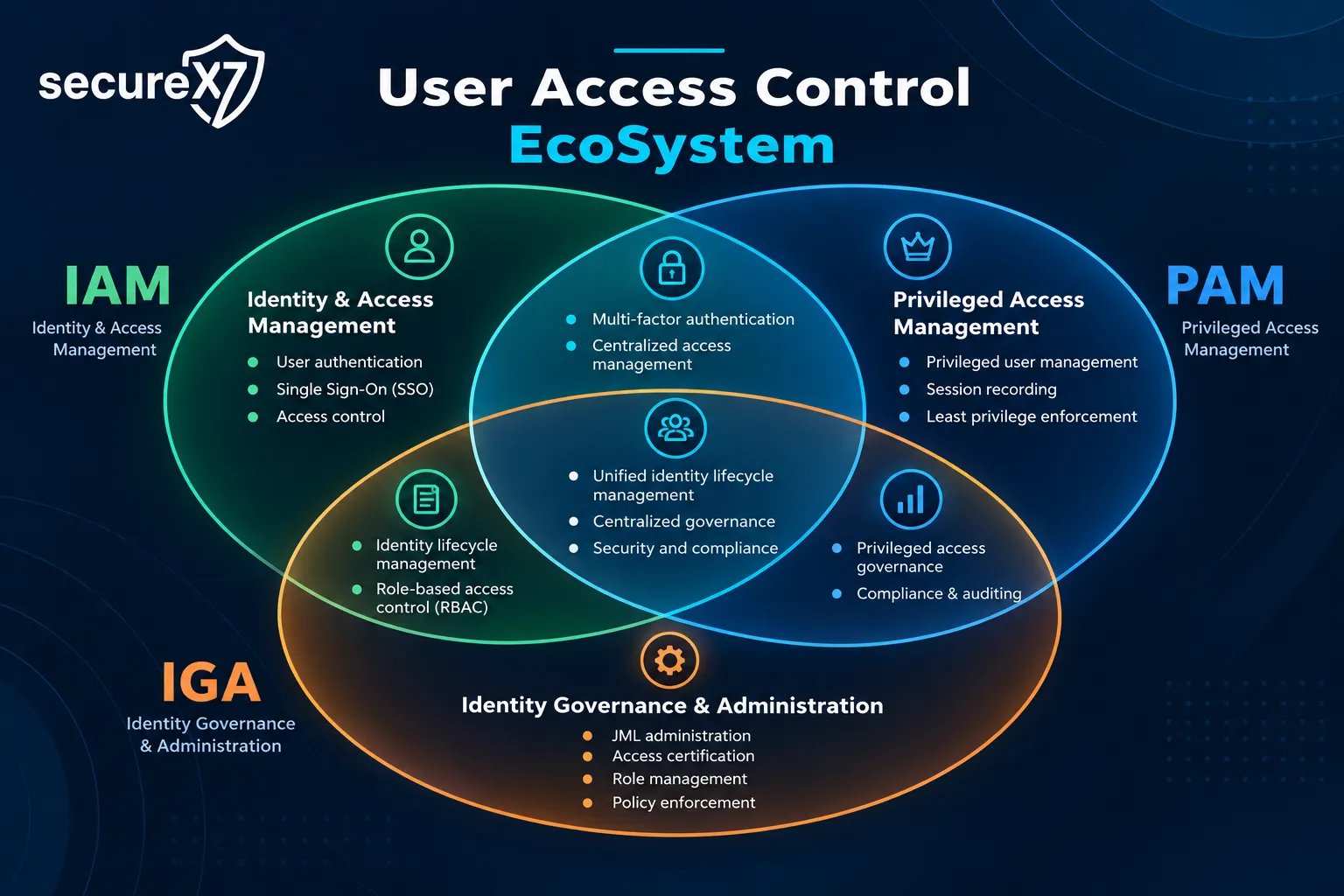
Understand how joiner, mover and leaver processes help prevent unnecessary or forgotten accounts from retaining access.
Explore Account Lifecycle Management → (coming soon)
How SecureX7 Helps
SecureX7 supports access-control readiness through automated endpoint assessment, privilege visibility, security configuration analysis and AI-powered actionable remediation guidance.
Discover excessive privilege. Understand the exposure. Remediate with confidence.